Bluejay
Sole Designer & Front-End Engineer · Figma / React / ReactDOM / HTML / CSS/SCSS / JavaScript / GitLab
Overview
Bluejay is a two-sided web-based sales tool built for Hawx Pest Control's inside sales team. On the internal side, reps look up customers, build service packages with customizable pricing and add-ons, and send a link for the customer to complete the sign-up on their own device. On the customer side, the link walks them through reviewing their plan, signing the service agreement via PandaDoc, and completing payment. Webhook-based progress tracking keeps the rep informed in real time as the customer moves through each step. The tool was later adapted to handle renewals, letting reps select services to renew, set new term lengths and pricing, and send the renewal through the same flow.
The Challenge
The inside sales team was juggling between fragmented tools and a costly third-party platform to manage their sales process. There was no unified system for handling calls, looking up customers, and processing sales, resulting in inefficiency and high software costs.
The Goal
Build an all-in-one internal sales tool that integrates directly with Five9's telephony platform, consolidating the entire sales workflow into a single application with both a rep-facing and customer-facing experience.
The Design
The design splits into two distinct experiences that work together. The internal side prioritizes speed and context: reps can look up a customer, see their existing appointments and inspection details, configure a full service package, and send a link in just a few steps. The customer side is mobile-optimized and minimal, guiding them through agreement signing and payment with no friction. A real-time progress indicator on the internal side shows exactly where the customer is in the flow and what actions remain, keeping the rep in control of the conversation.
SCREENS
Key screens from the internal sales flow, customer-facing sign-up experience, and renewal process.
01
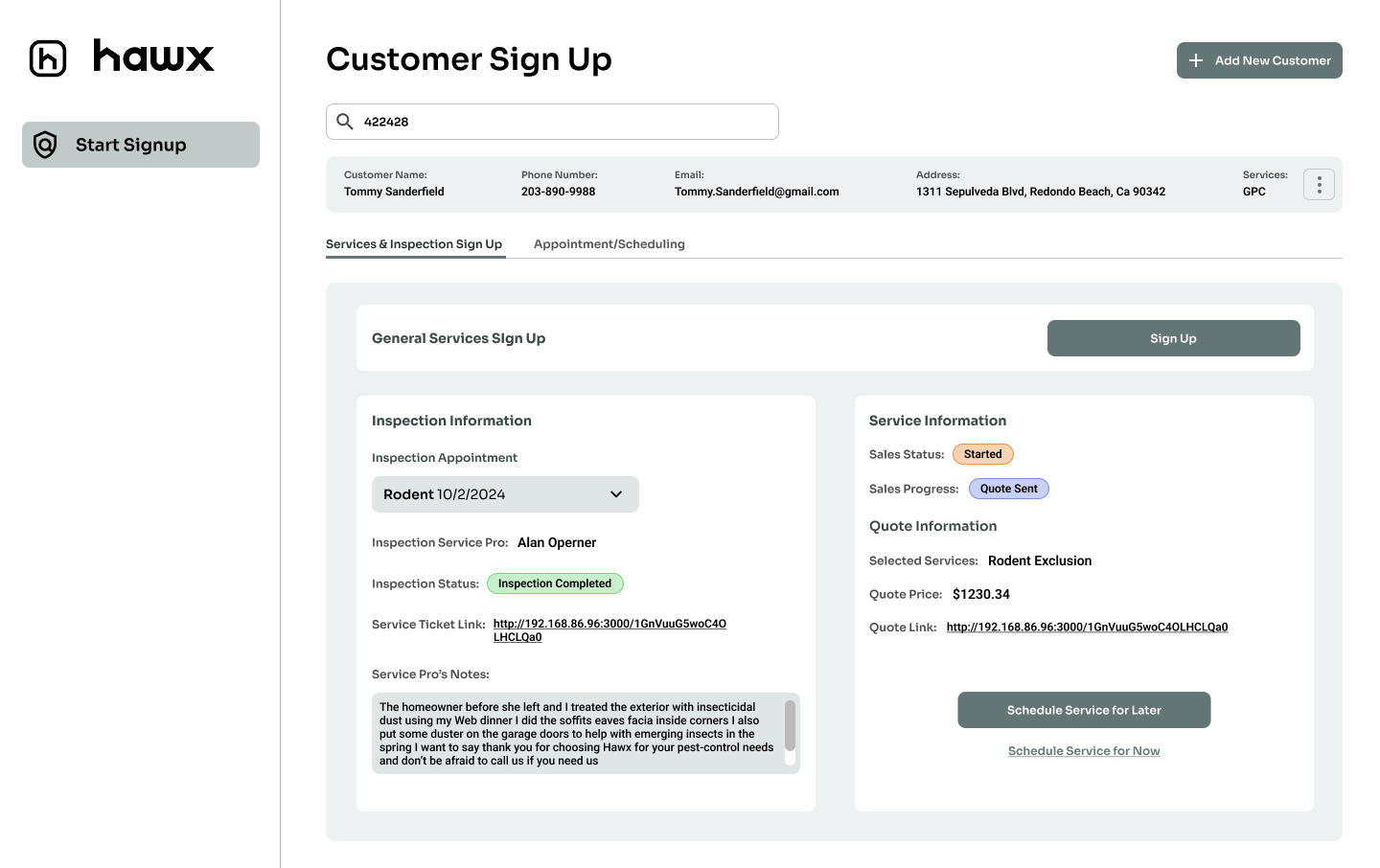
Customer Lookup & Service Setup
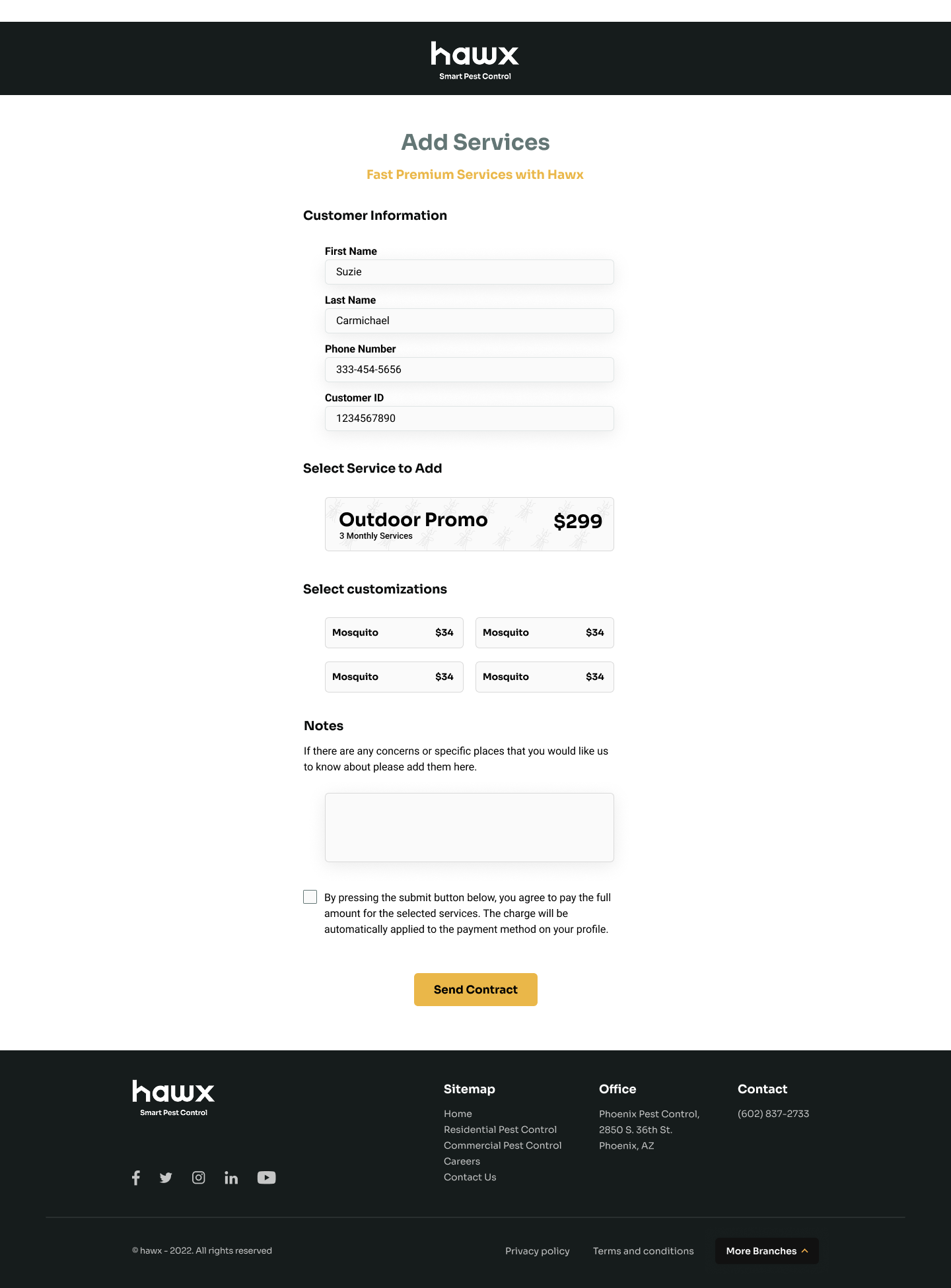
Reps start by looking up the customer to see their existing appointments, inspections, and account details. From there, they enter the sign-up flow where they can select services, add-ons, term lengths, and pricing for the customer.
Customer Lookup
Add Services
02
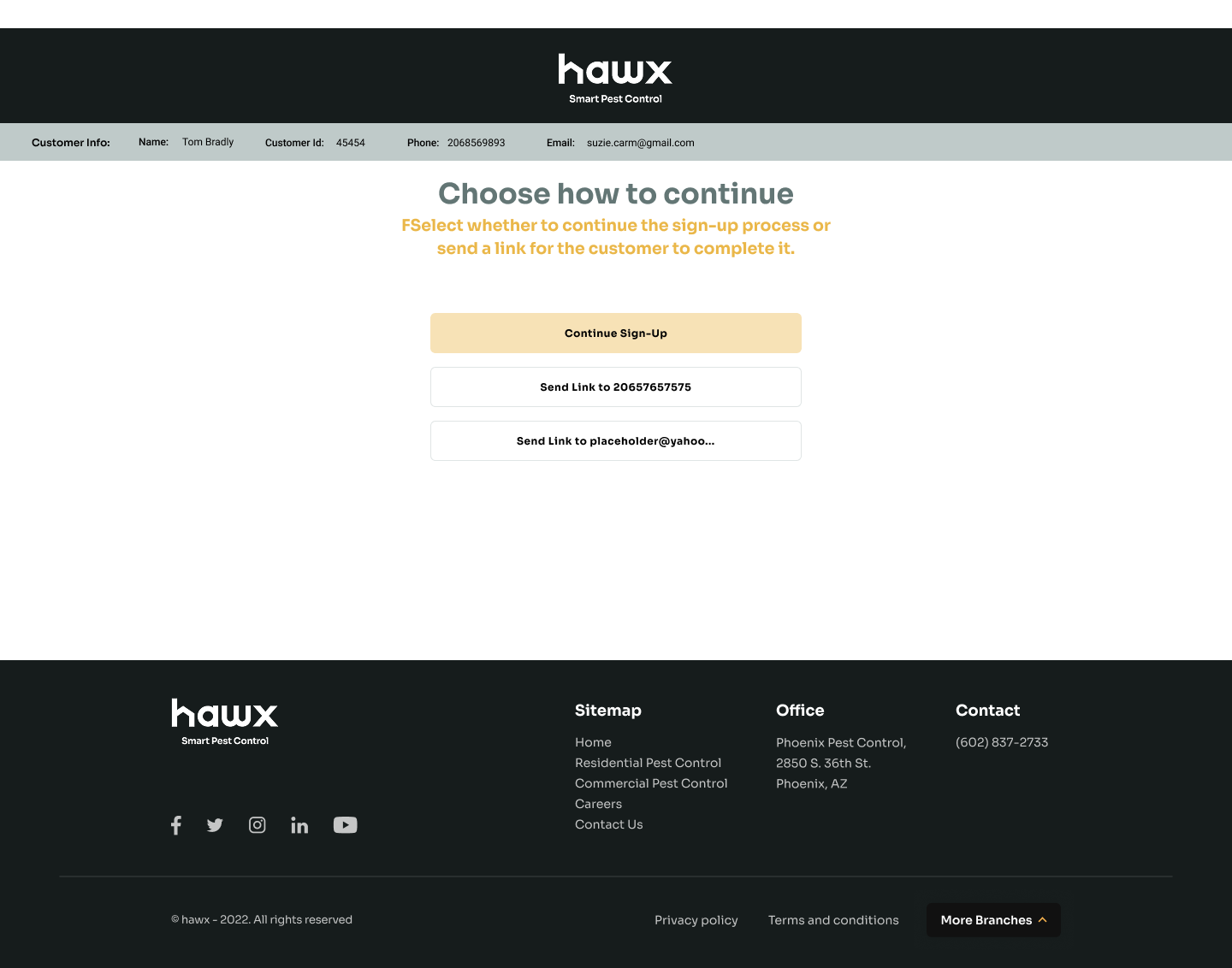
Link Sharing & Progress Tracking
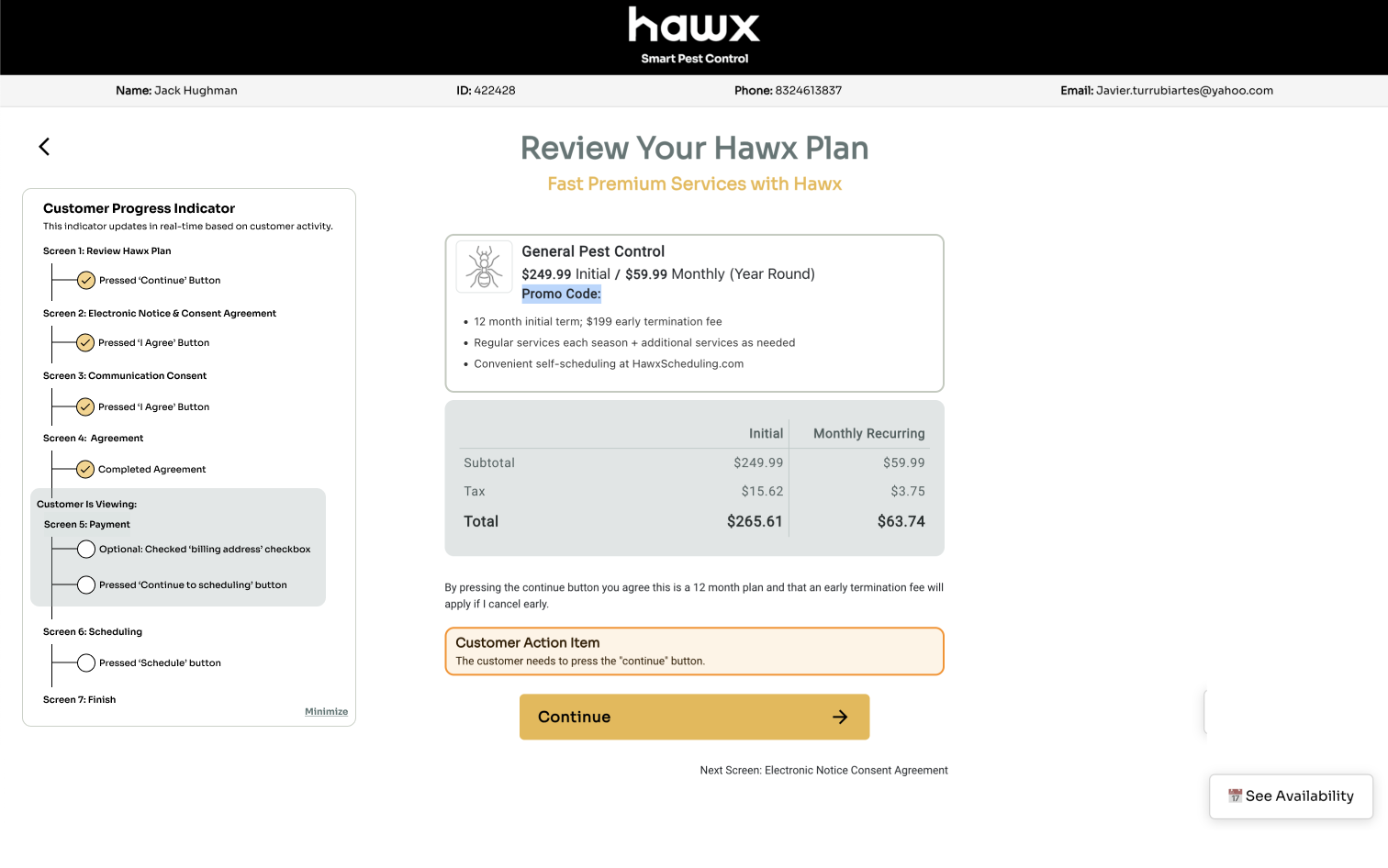
Once the rep builds the service package, they send a link to the customer to complete the sign-up on their own device. The internal view updates in real time via webhooks, showing exactly where the customer is in the flow and what action items remain.
Send Link
Progress Tracking
03
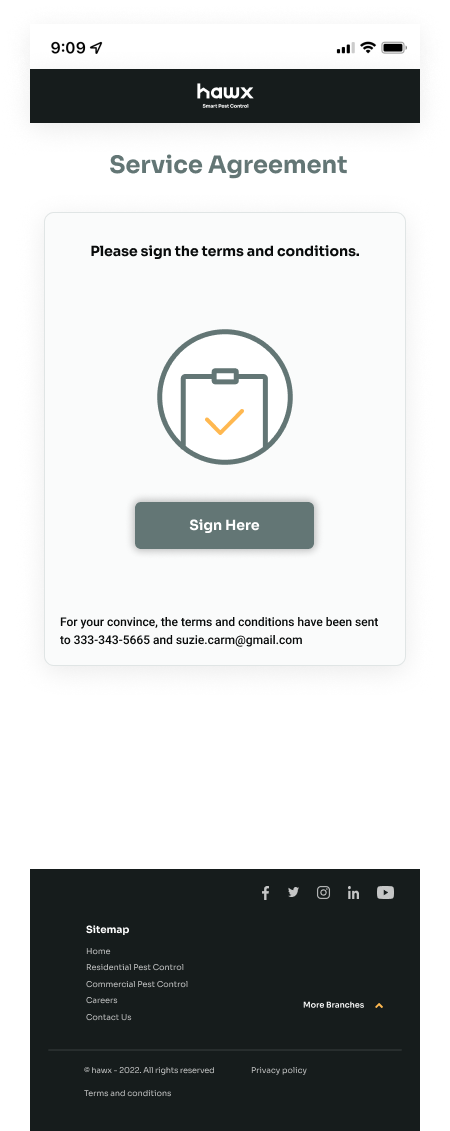
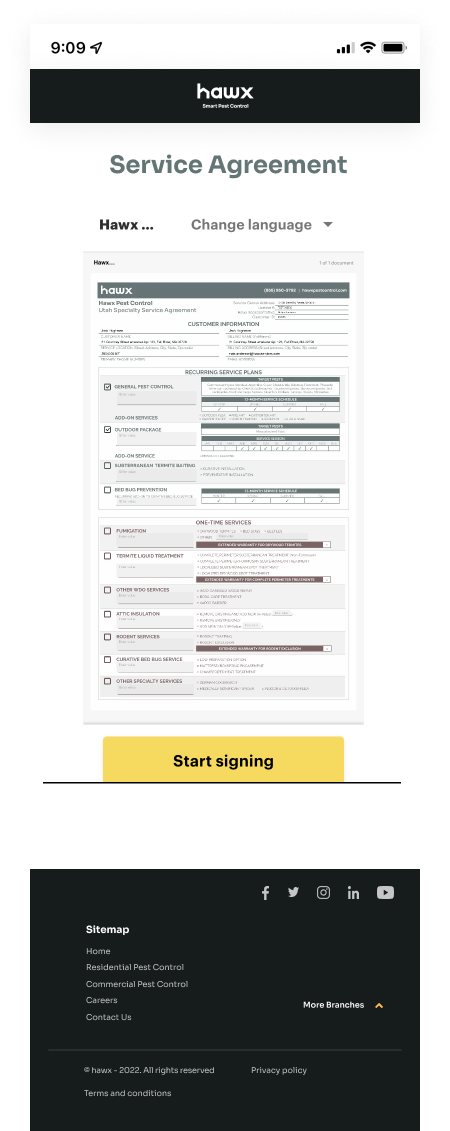
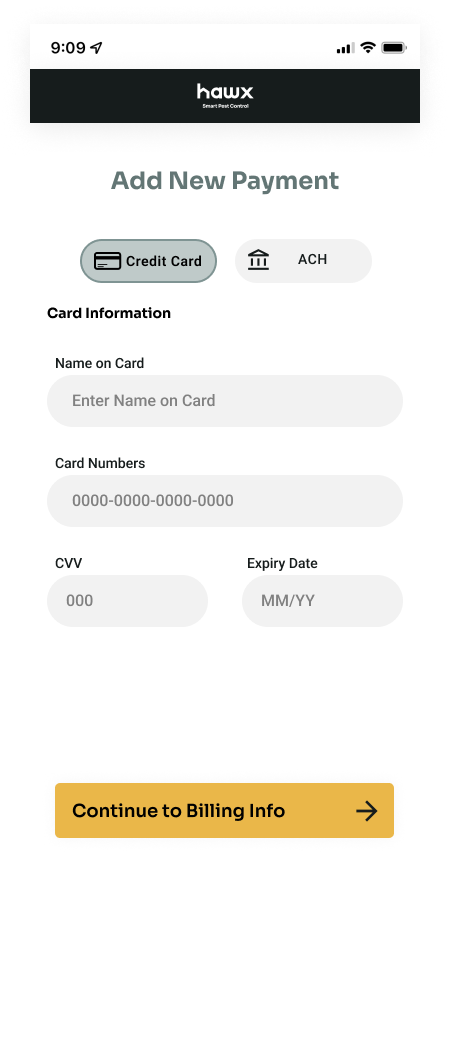
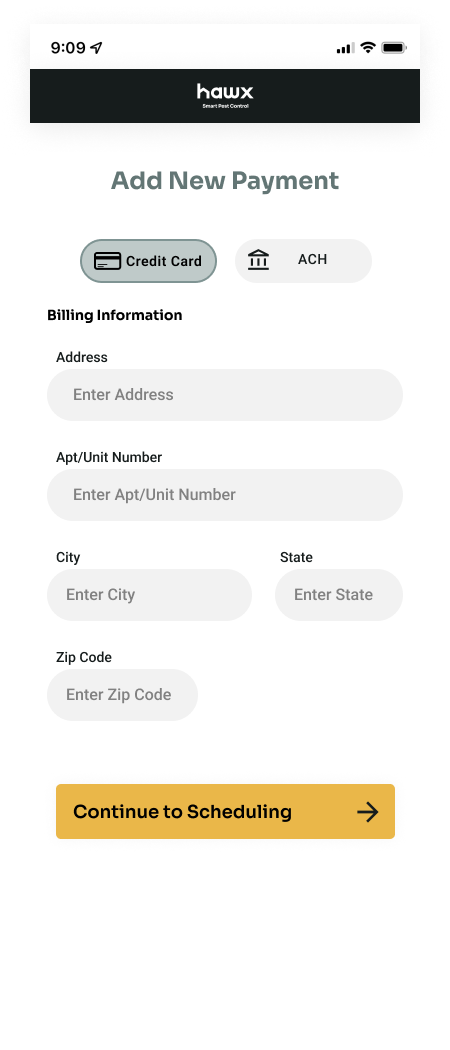
Customer Side: Agreement & Payment
The customer-facing side walks them through signing the service agreement via PandaDoc and completing payment with card or billing information. Each step is simple and mobile-optimized so the customer can finish on their phone.
Sign Prompt
Agreement Document
Card Info
Billing Info
04
Renewal Flow
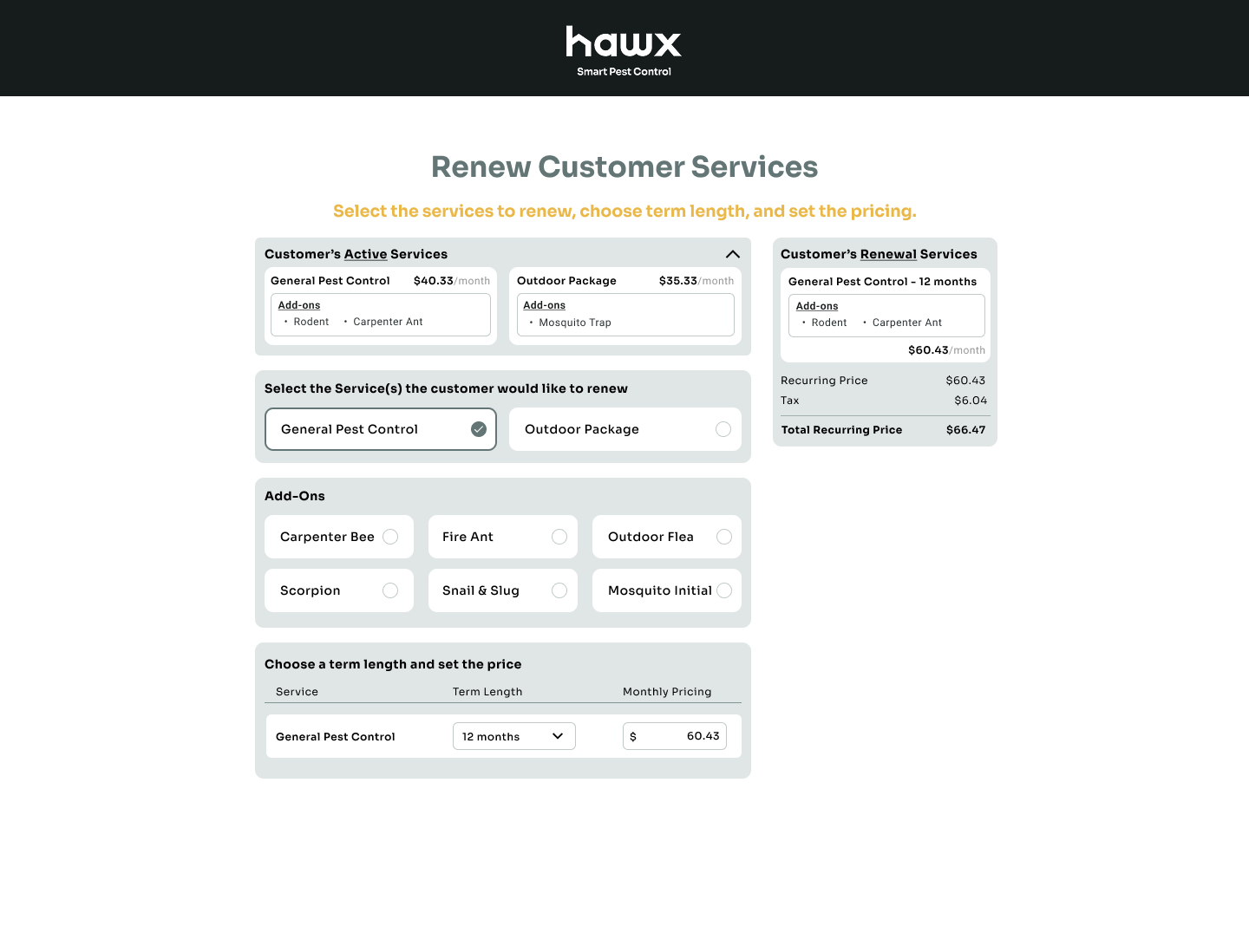
The tool was later adapted to handle customer renewals. Reps can see the customer's active services and add-ons, select which services to renew, choose a new term length, set pricing, and review the renewal summary before sending.
Renew Services
KEY FEATURES
Five9 Integration
Deep integration with Five9's telephony platform for seamless call management, automatic call logging, and real-time agent status within the sales interface.
Customer Lookup
Instant search and retrieval of customer records with appointment history, inspection details, and account information surfaced at the moment of need.
Custom Sales Flow
A guided sign-up flow where reps select services, configure add-ons, set term lengths and pricing, and send a customer-facing link to complete the process.
Customer-Facing Link
Generate and share a link with customers that walks them through reviewing their plan, signing the service agreement via PandaDoc, and completing payment on their own device.
Live Progress Tracking
Webhook-based real-time visibility into where the customer is in the sign-up flow, with action item indicators so the rep knows exactly what step the customer is on.
Renewal Support
The tool was adapted to handle renewals, letting reps view active services, select which to renew, choose new term lengths and pricing, and send the renewal through the same customer-facing flow.